Comp-As-You-Go
Pay workers’ compensation premium as payroll is processed. Comp-As-You-Go helps align premium payments with your actual payroll throughout the policy term, giving you greater predictability and helping reduce the potential for a large year-end adjustment.
For enrolled policyholders
Quick Actions
Manage your Comp-As-You-Go account or contact our team.
Report payroll
Sign in to your Comp-As-You-Go account to report payroll and calculate your premium payment.
Chat with a specialist
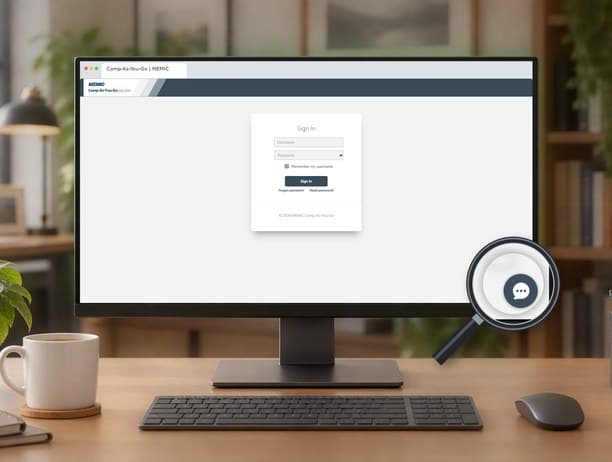
Sign in and select the chat button to get help while you work.
Email our team
Get help with payroll reporting or your Comp-As-You-Go account.
Call for support
Call 1-800-773-7900 to speak directly with a Comp-As-You-Go specialist during business hours.
Live chat support
Get help while you work
Connect with a Comp-As-You-Go specialist directly from the portal during regular business hours for help with payroll reporting and account questions.
Because chat is built into the portal, you can get answers and complete tasks without interrupting your workflow.
Our specialists actively monitor chat and respond quickly. When chat is available, you’ll see the chat icon on every page after you log in.
- Ask questions in the portal
- Get real-time support as you work
- Available Monday through Friday, 8 a.m. to 4:30 p.m.
How it works
Match premium payments more closely to payroll
Workers’ compensation premium is based in part on payroll. With Comp-As-You-Go, you report payroll throughout your policy term so your premium can be calculated based on the payroll reported for each period.
After you enroll, a MEMIC specialist helps you set up your account and payroll reporting process. You can report payroll through your payroll provider, accounting software or internal payroll process. Your reported payroll is then used to calculate the premium due for that period, and payment is collected electronically through ACH.
Because premium is calculated as payroll is reported, your payments more closely reflect changes in your payroll throughout the policy term. This can improve cash-flow predictability and help reduce the potential for a large adjustment after your premium audit.
How to enroll
Ask your insurance agent about enrolling in Comp-As-You-Go when your policy is issued or renewed. Once enrolled, a MEMIC specialist will help you get set up and ready to report payroll.
Why Comp-As-You-Go
Common questions
Comp-As-You-Go may be a good option for businesses looking to align workers' compensation premium payments with payroll activity and improve cash-flow predictability. Talk with your insurance agent about whether the program is right for your business.
Comp-As-You-Go works with most payroll providers, accounting software platforms and manual payroll processes.
Yes. Premium audits remain part of the workers' compensation process. Because payroll information is reported throughout the policy period, Comp-As-You-Go can help reduce large year-end adjustments, but your policy is still subject to a premium audit.
Contact your insurance agent and ask about enrolling in Comp-As-You-Go. A MEMIC specialist will guide you through the setup process.
What's next
Prepare for your annual premium audit
Comp-As-You-Go can help keep your premium more closely aligned with payroll and reduce the potential for a large adjustment, but a premium audit is still part of completing your policy term. Learn what to expect, what you’ll need and how the audit process works.